

.png) Lars Baad-Jensen
Lars Baad-Jensen
Written 6 Aug 2026, 10:41:44 by Lars Baad-Jensen
Over the last few years, we've run a number of projects helping organizations move away from licensed enterprise monitoring platforms and over to Zabbix. Several of those have been SolarWinds-to-Zabbix migrations specifically — and along the way we've built a repeatable approach that gets customers up and running quickly.
The honest truth up front: there is no "migrate" button. Moving from any monitoring system to Zabbix — whether it's SolarWinds, Nagios eller PRTG — is never a one-click export/import.
Every environment is different, so every project stands on its own. But that's exactly where experience pays off. At itm8, our Zabbix experts have done this enough times to make the process fast and straightforward, and to avoid the traps that slow first-timers down.
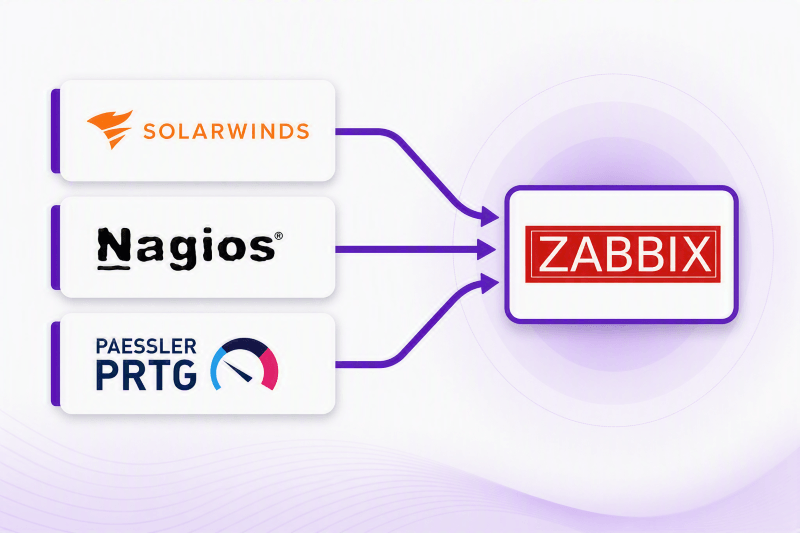
Why organizations choose Zabbix over SolarWinds
In one recent project, the customer wanted off SolarWinds for reasons that come up again and again:
-
License cost — recurring fees that scale painfully as you grow
-
Limited access to experts — a small pool of people who really know the platform
-
Locked-down code — little room to see or change how things work under the hood
-
Hard to customize — the tool dictates the workflow, not the other way around
Zabbix flips most of that on its head: it's open source, there's no per-node license bill, the code is fully open, and it's built to be customized. That combination is usually what tips the decision.
Migrating to Zabbix: Start fresh instead of copying old problems
One of the most important lessons we've learned is this: Don't try to carry too much over from the old system.
When we look at the customer's ie. SolarWinds setup, we get a quick sense of what’s being monitored — and often we don’t replicate it one-to-one.
A lot of what lives in an aging monitoring platform is legacy:
-
stale checks
-
noisy alerts
-
hosts that no longer exist
Copying all of that into Zabbix just means importing old problems into a new tool. Instead, we take the essentials and let Zabbix do what it does well.
Before the migration: Analyzing SolarWinds and defining Zabbix requirements
-
Review the existing monitoring solution — enough to understand the scope, but not so much that we anchor to it, because we're starting over in Zabbix
-
Estimate how long the migration will take (best guestimate)
-
Interview stakeholders about their actual requirements — pushing past the default answer of "it just needs to work like before"
-
Suggest improvements and extra capabilities the old system couldn't offer
The goal of this phase isn't to reproduce the old setup. It's to understand what the business actually needs to know about its infrastructure.
Implementing Zabbix: Server, agents, and dashboards
Once the groundwork is done, we build out Zabbix:
-
Set up the Zabbix server, Zabbix proxy, and database in a high-availability (HA) configuration
-
Build Zabbix agent packages with configs tailored to the customer's requirements
-
Configure the Zabbix UI
-
Handle any custom needs
-
Build dashboards that surface what people actually care about
SolarWinds to Zabbix in practice: A customer migration example
To illustrate the process, let’s look at a real customer project and the specific steps we took to migrate from SolarWinds to Zabbix.
From SolarWinds, we pulled the information that genuinely mattered: the devices, IP ranges, host criticality, and the SLAs. That's it. After that, we let Zabbix take over.
Autoregistration with PSK
We configured Zabbix to accept autoregistration secured with PSK (pre-shared key) encryption, so hosts could register themselves securely as they came online — no manual host creation required.
We then created an autoregistration action to route hosts automatically:
| Setting | Value |
|---|---|
| Name | itm8 |
| Conditions | Host name contains itm8 and host metadata contains linux |
| Operations | Add to host group Linux servers; link template Linux by Zabbix agent active |
So any host that reported the right name and metadata was automatically dropped into the correct group and given the correct template.
Rolling out the agent
We rolled out Zabbix agent 2 using SCCM and PowerShell on Windows and Ansible on Linux, and deliberately created a separate customer.conf file inside the zabbix_agent2.d folder rather than editing the main config. That way, everyone always knows exactly where to look for our custom settings.
The PSK file (zabbix_agent.psk) holds the shared key that matches the identity configured on the server side.
Tip: keeping customer-specific settings in their own drop-in .conf file is a small decision that saves a lot of headaches later — upgrades, audits, and troubleshooting all get easier when your customizations aren't tangled up in the default config.
SNMP devices via CSV and the API
For SNMP devices, we exported everything to a CSV file and used Zabbix's well-documented API to import them directly. We enriched the import with the tags we'd pulled from SolarWinds and let scripts inside Zabbix pick the right template for each device automatically.
This is where the "let Zabbix do the work" philosophy really shows: a well-structured CSV plus the API beats clicking through hundreds of hosts by hand every time.
Extra features
Migrating like-for-like is table stakes. The real value showed up in the extras we layered on top.
-
ServiceNow incident integration — Zabbix ships with a ServiceNow media type that can create incidents directly. There was very little we had to change to make it work the way the customer wanted.
-
CMDB-driven incident routing — we queried the ServiceNow CMDB for device information, which gave us exactly what we needed to assign each incident to the correct functional group automatically. Incident handling got noticeably easier.
-
SLA trees from the CMDB — we used the CMDB to build the SLA tree, listing each application together with all the devices it depends on. That let us calculate SLA at the application level — and if a server was offline or in maintenance, the calculation accounted for it correctly.
-
MAC-address-to-switch lookup — we developed frontend scripting to locate a network device on a switch straight from its MAC address.
-
One-click host actions — more frontend scripting let us put a server into maintenance or jump to a specific URL right from the host menu. Simple to do in Zabbix, and genuinely useful day to day.
-
SOC dashboards — we built dashboards focused on meaningful alarms, so infrastructure health is easy to read at a glance instead of drowning in noise.
-
Database monitoring — as a database powerhouse, we naturally monitored Oracle, MSSQL, and PostgreSQL using our own customized templates.
Key lessons learned from a SolarWinds to Zabbix migration
A few takeaways that apply to almost any migration like this:
-
Don't migrate the mess. Treat the move as a chance to clean house, not to copy old noise into a new tool.
-
Take the data that matters, skip the rest. Devices, IP ranges, criticality, and SLAs are usually all you need to seed a fresh Zabbix build.
-
Automate onboarding from day one. Autoregistration, the API, and template automation turn a tedious manual job into a fast, repeatable one.
-
Keep your customizations isolated. Drop-in config files and clearly named PSK identities make the system easier to maintain and hand over.
-
Secure by default. PSK (or certificate-based) encryption for agent traffic should be the baseline, not an afterthought.
-
Integrate with what the business already uses. Wiring Zabbix into ServiceNow and the CMDB turned monitoring from "another dashboard" into part of the existing incident workflow.
Conclusion: Why migrating from SolarWinds to Zabbix delivers value
There's no shortcut that magically converts SolarWinds into Zabbix — but there is a proven, efficient path. Start fresh, bring only what matters, lean on automation, and then build the extras that the old platform never lets you have.
That's how we help customers cut licensing costs, regain control of their monitoring, and end up with a system that actually fits how they work.
Let's talk
Thinking about a move to Zabbix? Our Zabbix experts at itm8 have done this before — and we're happy to help you do it fast and cleanly.
Fill out the form, and we'll get in touch.